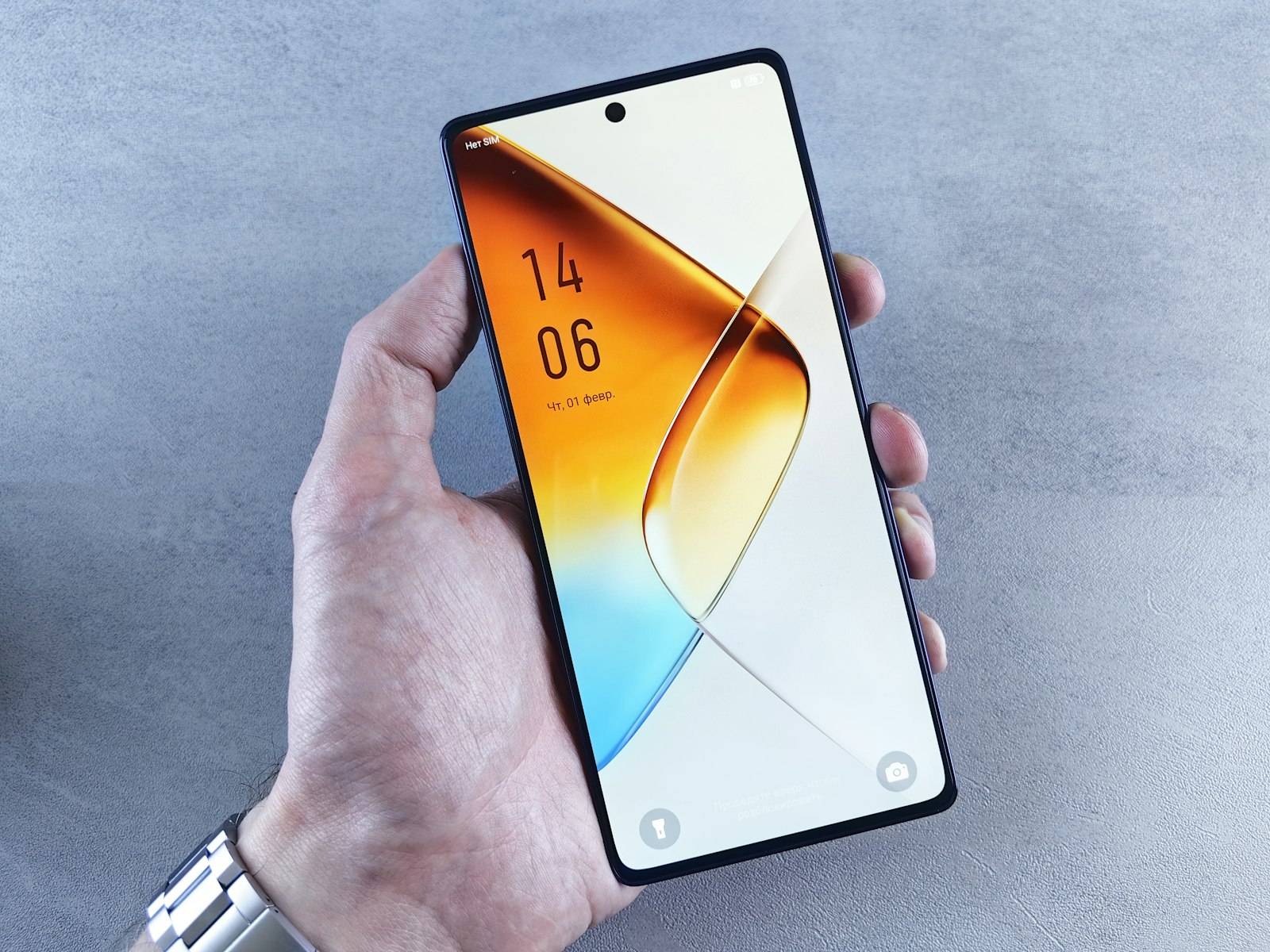
Medical ID on iPhone is the emergency page in the Health app: tap Summary, then your profile picture, then Medical ID, add your conditions, allergies, medications and emergency contacts, and turn on Show When Locked. On Android, Google’s Safety app does the same under Your info and Emergency info access. A paramedic or passer-by can then read it without your passcode. An ICE (In Case of Emergency) contact in your phone book is a useful backup in 2026, not a replacement, because contacts sit behind your passcode.
Updated 1 November 2026 · Sources: Apple Support, Google Android Help and Kent Prepared (Kent Resilience Team), checked 1 November 2026. We make Safety App UK, one of the options in the table below.
If someone is seriously ill or injured, call 999 first. Then check their lock screen for a Medical ID or emergency info and read it to the call handler. While you wait, use the recovery position if they are breathing but unresponsive.
Set it up in two minutes: iPhone and Android
Menus checked 1 November 2026 on Apple Support and Google Android Help. Google says some steps only work on Android 12 and up, and the app may be listed as Personal Safety in the Play Store and Settings; Samsung and other makers may name the menus differently.
What is Medical ID on iPhone?
Medical ID is a page in the iPhone Health app that holds details such as your medical conditions, allergies, medications, date of birth and emergency contacts. Apple says it helps emergency responders get critical medical information from the Lock Screen. It only shows on a locked iPhone if Show When Locked is turned on.
How do I add emergency information on Android?
On Android, Google’s Safety app holds your emergency information. Open it, sign in, tap Your info, then add Medical information (such as blood type, allergies and medications) and Emergency contacts. Then tap Emergency info access and choose Show when locked. Google says some steps only work on Android 12 and up.
How does a paramedic see my Medical ID on a locked phone?
No passcode is needed. On an iPhone, they wake the phone, tap Emergency on the passcode screen, then tap Medical ID. On Android, they swipe up on the locked screen, tap Emergency, then View emergency info. Both only work if you turned on showing the information when the phone is locked.
Is my Medical ID sent automatically when I call 999?
Don’t count on it in the UK. Apple’s Share During Emergency Call option sends your Medical ID to emergency services, but Apple says this Enhanced Emergency Data is not available in all countries or regions. Android’s Safety app has a similar Share during emergency call option. Always tell the 999 call handler about allergies and conditions yourself, and tell them exactly where you are.
What is an ICE contact on a phone?
An ICE contact is a person saved in your phone book with “ICE” (In Case of Emergency) before their name, so a helper can search for it. Kent Prepared, the Kent Resilience Team’s public advice site, says the person must have agreed to be your ICE partner and should know who to contact and any important medical information; use ICE1, ICE2 for several, and ICETEXT if your contact is deaf. Contacts usually need your passcode to open, so add the same people to Medical ID or Android emergency info too.
Who can see my emergency info, and what should I leave out?
Anyone holding your phone. Google warns that anyone who picks up your phone can find your lock screen message and emergency information even when it is locked. List what a paramedic needs (serious conditions, allergies, key medications, one or two contacts) and leave out your home address or anything you wouldn’t want a stranger to read. If your phone is taken, see what to do if your phone is stolen.
What happens to my emergency contacts after an SOS call?
On an iPhone, Apple says that after an Emergency SOS call ends, your iPhone texts your emergency contacts with your current location unless you cancel, and keeps them updated for a while if you move. These are the contacts in your Medical ID. Our Emergency SOS set-up guide covers both iPhone and Android.
Ways to carry emergency information compared
Green ▲ = yes, amber ▬ = partly or depends on settings, red ▼ = no. We make Safety App UK and have not ranked the options.
Checked 1 November 2026 on Apple Support, Google Android Help and Kent Prepared. Safety App UK is Android only (Google Play): free for 7 days, then £2.99 a month or £29.99 a year; for ages 16+.
What responders can see: myths and facts
Frequently asked questions
Open the Health app, tap Summary, tap your profile picture, then Medical ID. Add conditions, allergies, medications and emergency contacts, turn on Show When Locked and tap Done. Apple Support listed these steps when we checked on 1 November 2026.
Check it yourself. Open Medical ID on iPhone, or Emergency info access in Android’s Safety app, and make sure showing the information when locked is switched on. Then test it from your own lock screen.
As a backup, yes. Kent Prepared still recommends an ICE partner who has agreed to the role. But on a locked phone the lock-screen emergency info is what a stranger can actually open.
Some can raise an alert after a hard fall or with an SOS button. See our fall detection watch guide for Apple Watch, Pixel Watch and Galaxy Watch. For an older relative who is mostly at home, a monitored pendant or fall alarm is the usual alternative.
Stay on the line and follow the operator’s prompts. Our guide to making a silent 999 call explains what “press 55” does, and when to call 999, 101 or 111 helps you pick the right number.
Sources
- Apple Support: set up your Medical ID in the Health app
- Apple Support: Emergency SOS on iPhone
- Apple Support: make an emergency call or text on iPhone or Apple Watch
- Google Android Help: get help in an emergency (emergency info)
- Kent Prepared: health advice and ICE contacts
General information, checked 1 November 2026. Phone menus change with software updates; check your phone’s own help pages. This is not medical advice. In an emergency, always call 999.
Keep reading
Your phone, ready before you need it
Safety App UK shares your live location and live video with a trusted circle, sends Safe Zone arrival and leave alerts, and gives you an SOS by button, shake, or automatically in higher-crime zones. Its live safety map uses official police data and community reports and shows police stations, Ask for Angela venues and safer routes. It does not call the emergency services, so in an emergency always dial 999. Android only, on Google Play: free for 7 days, then £2.99 a month or £29.99 a year; cancel any time in Google Play. For ages 16+.